XcellHost Cloud Services - Leaders in Managed Cloud Hosting since 1999
Document
lets talk

Get in Touch!

Captcha :
+
=

By continuing, you accept our Terms of Service & Privacy Policy

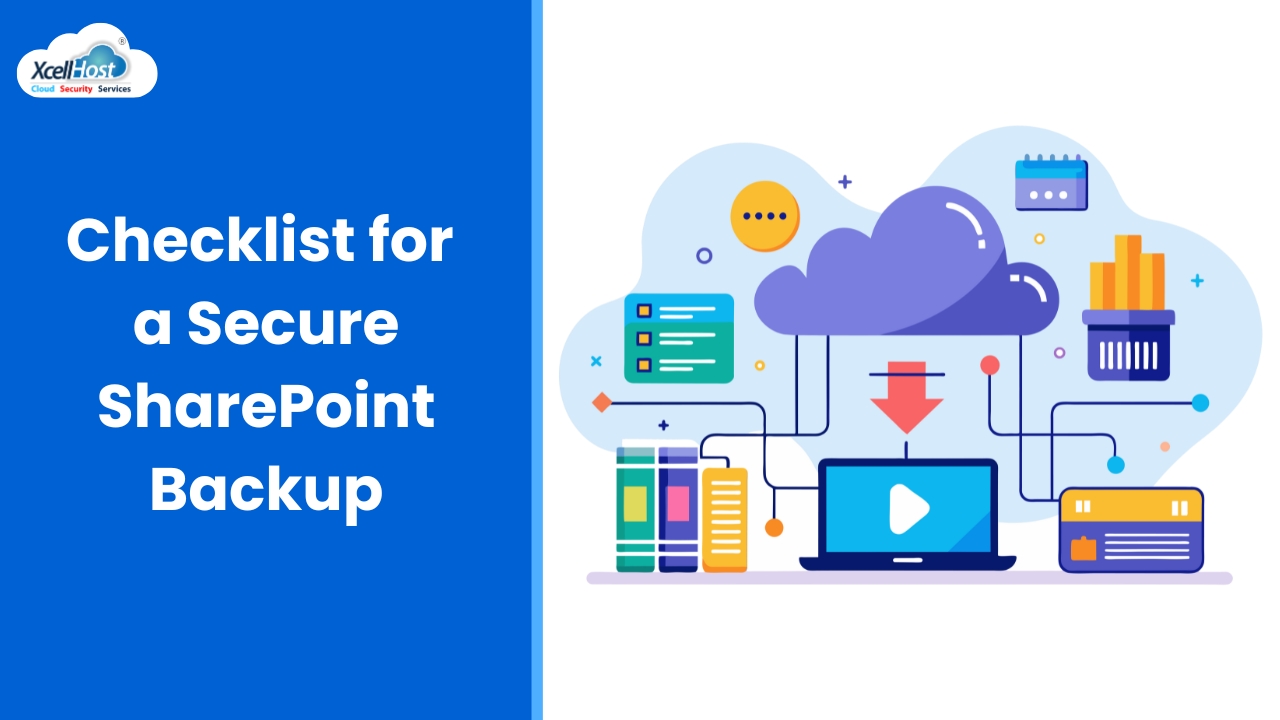
Checklist for a Secure SharePoint Backup

Checklist for a Secure SharePoint Backup As a managed service provider (MSP), you’re tasked with managing and protecting your client’s data both on-site and in the cloud. However, backups for SaaS and cloud applications pose some unique challenges. For example, which SaaS apps should be backed up? What is the best technical approach for a reliable backup? What additional tools are at your disposal? Microsoft SharePoint tops the list of important SaaS applications that should be backed up. SharePoint Online is a cloud-based collaboration and document management platform developed by Microsoft as part of its Microsoft 365 suite. SharePoint provides the content storage and sharing foundation for other applications in the Microsoft suite, such as Microsoft Teams. It allows users to create, store, and share content with team members, partners, and customers, such as documents, lists, and web pages. This blog will review the seven most important considerations for MSPs regarding SharePoint backup. We will explain why SharePoint needs a reliable third-party backup and how to implement it. We will also explore the key features and capabilities MSPs should look for in a reliable SharePoint backup. 1. Shared Responsibility Model: Microsoft, Client Data, and You 🤝 Who is responsible for the data in SharePoint: Microsoft or the client? Let’s unpack this question. The Microsoft shared responsibility model for SharePoint is a crucial aspect of the platform’s security efforts. According to the Microsoft Services Agreement Section 6b, both Microsoft and its customers have a role to play in protecting sensitive information and ensuring the smooth functioning of the system. Therefore, MSPs should take the lead in implementing sound backup strategies to protect against SharePoint data loss in a client’s Microsoft 365 deployment. 2. Data Loss in the Cloud is Real 🌩️💾 Data loss is a major concern for businesses and individuals alike, and data loss in the cloud is no exception. Despite its convenience and accessibility, cloud applications like SharePoint are not immune to the risk of data loss. Potential vulnerabilities include: MSPs and end-user organizations must be proactive about backing up their data and regularly evaluating and updating their security measures. 3. Compliance Requires Sound Backups, Including Cloud Applications 📜🔐 With the rise of cyber-attacks and data breaches, compliance regulations have become stricter when it comes to protecting sensitive data. One of the essential requirements is to have sound backups in place, including cloud applications such as SharePoint and Microsoft 365. Many highly regulated industries – such as financial services and defense contracting in the United States – specify that regulated companies must follow the controls and procedures specified by the National Institute of Standards and Technology (NIST) cybersecurity frameworks. The NIST cybersecurity framework requires that cloud applications such as SharePoint be backed up to a secure, offsite location distinct from the production cloud environment. 4. Native Microsoft Tools in SharePoint are Inadequate ⚙️❌ While Microsoft offers some basic backup options for SharePoint users, they lack flexibility and scalability. For instance: Inadequate backup solutions can leave organizations vulnerable to data loss, corruption, and ransomware attacks. 5. A Third-party Backup Location is the Key 🗝️☁️ The 3-2-1 backup philosophy is a data backup strategy that recommends creating three copies of your data, in two different media, with at least one copy stored offsite. This approach helps ensure data is protected against loss or corruption. Leveraging a purpose-built, third-party cloud backup service for SharePoint data provides that vital offsite copy, defending against worst-case scenarios such as cyberattacks, ransomware infections, or natural disasters that could disable a production cloud platform. 6. MSPs Can Boost Revenues from Managed Cloud Applications 💼📈 MSPs have a huge business opportunity from managing SaaS and cloud applications on behalf of their clients. Migrating to the cloud offers stability and scalability, but cloud apps remain complex for most small and medium businesses. MSPs play a vital role in: Consequently, backing up SaaS and cloud applications is a mandatory element of a robust MSP’s tech stack. There are great choices for affordable, reliable, and third-party SaaS backup services, specifically designed for MSPs. 7. Purpose-built SharePoint Backup Solutions are Ideal for MSPs 🛠️🔄 We have established that SharePoint backup is a must for the following reasons: Dropsuite’s SharePoint Backup Solution Dropsuite’s solution for SharePoint and Microsoft 365 backup is designed to protect SharePoint Online data by backing up critical content such as site collections, subsites, lists, and libraries. Key features include: Protecting cloud data is central to the MSP mission of managing the end-to-end IT needs of clients. SharePoint is one of the most important elements of today’s cloud computing ecosystem. That’s why SharePoint backup is included in Dropsuite’s Microsoft 365 backup solution. Purpose-built for MSP deployment, Dropsuite invites MSP partners to sign up for a live demo with a backup specialist today. 🌐💬      

Checklist for a Secure SharePoint Backup Read More »

Marg On Cloud sample 3

Understanding Business Email Compromise (BEC): Protecting Your Organization In today’s digital landscape, businesses face a multitude of cyber threats, with Business Email Compromise (BEC) emerging as one of the most damaging. BEC attacks can lead to significant financial losses and damage to an organization’s reputation. This blog explores what BEC is, how it works, real-world examples, and strategies to protect your organization from this growing threat. What is Business Email Compromise (BEC)? 📧 Business Email Compromise (BEC) is a sophisticated scam targeting businesses that conduct wire transfers and have suppliers abroad. Cybercriminals exploit email systems to deceive employees, often impersonating executives or trusted partners to trick victims into transferring money or sensitive information. How BEC Attacks Work ⚙️ 1. Reconnaissance 🔍 Attackers gather information about the target organization, such as its executives, employees, business partners, and financial transactions. They may use social engineering techniques, phishing emails, or publicly available information on social media and company websites. 2. Email Spoofing and Phishing 🎣 Cybercriminals spoof legitimate email addresses or hack into real accounts to send convincing emails. These emails often contain urgent requests, such as transferring funds, changing payment details, or sharing confidential information. 3. Social Engineering 🕵️ Attackers leverage social engineering to manipulate victims into bypassing normal security procedures. This might involve creating a sense of urgency, impersonating a high-ranking executive, or exploiting trust within the organization. 4. Execution of the Scam 💼 Once the victim is convinced, they follow the instructions, unknowingly transferring funds to the attacker’s account or sharing sensitive information. By the time the scam is discovered, it is often too late to recover the stolen assets. Real-World Examples of BEC Attacks 🌐 The Ubiquiti Networks Scam In 2015, Ubiquiti Networks fell victim to a BEC attack, losing $46.7 million. Cybercriminals impersonated company executives and requested wire transfers to overseas accounts. The attackers used a combination of email spoofing and social engineering to carry out the scam. The Mattel Incident In 2016, toy manufacturer Mattel was targeted by a BEC scam shortly after appointing a new CEO. Attackers impersonated the CEO and requested a $3 million transfer to a Chinese bank. Fortunately, Mattel’s finance department detected the fraud in time, and the funds were recovered. How to Protect Your Organization from BEC Attacks 🛡️ Employee Training and Awareness 📚 Educate employees about the risks of BEC and train them to recognize suspicious emails. Regularly update staff on the latest scam tactics and encourage them to verify requests for sensitive information or financial transactions through secondary channels. Implement Strong Email Security Measures 🔐 Multi-Factor Authentication (MFA) 🔒 Require MFA for accessing email accounts and sensitive systems. This adds an extra layer of security, making it harder for attackers to gain unauthorized access. Verify Financial Transactions 🏦 Establish verification procedures for financial transactions, especially those involving changes to payment details or large transfers. Require multiple approvals and confirmations through different communication channels. Monitor and Audit Email Accounts 👀 Regularly monitor email accounts for signs of suspicious activity, such as unexpected login attempts or unauthorized changes to email forwarding rules. Conduct periodic audits to ensure compliance with security policies. Develop Incident Response Plans 🚨 Create and maintain an incident response plan specifically for BEC attacks. This plan should outline steps for identifying, containing, and mitigating the impact of a BEC incident, as well as procedures for reporting and recovering from the attack. Frequently Asked Questions (FAQs) ❓ Q1: What is Business Email Compromise (BEC)? A1: Business Email Compromise (BEC) is a sophisticated scam in which cybercriminals use email to deceive employees into transferring money or sensitive information, often by impersonating executives or trusted partners. Q2: How can I recognize a BEC email? A2: BEC emails often contain urgent requests for financial transactions or sensitive information, use spoofed or compromised email addresses, and may include subtle variations in email addresses or domain names. Q3: What steps can I take to protect my organization from BEC attacks? A3: Protect your organization by educating employees, implementing strong email security measures, requiring multi-factor authentication, verifying financial transactions, monitoring email accounts, and developing incident response plans. Q4: Why is multi-factor authentication (MFA) important in preventing BEC? A4: MFA adds an extra layer of security by requiring additional verification steps, making it more difficult for attackers to gain unauthorized access to email accounts and sensitive systems. Q5: What should I do if my organization falls victim to a BEC attack? A5: If your organization falls victim to a BEC attack, immediately contact your financial institution to attempt to recover the funds, report the incident to law enforcement, and follow your incident response plan to mitigate the impact and prevent future attacks. Conclusion 🌟 Business Email Compromise is a growing threat that requires vigilant and proactive measures to protect your organization. By understanding how BEC attacks work and implementing robust security practices, you can safeguard your business from significant financial and reputational damage. Stay informed, stay vigilant, and prioritize cybersecurity to defend against BEC. Protect your organization from Business Email Compromise and ensure a secure digital environment! 🚀🔐      

Marg On Cloud sample 3 Read More »

Organization Validated SSL Certificates Sample 3

Understanding Business Email Compromise (BEC): Protecting Your Organization In today’s digital landscape, businesses face a multitude of cyber threats, with Business Email Compromise (BEC) emerging as one of the most damaging. BEC attacks can lead to significant financial losses and damage to an organization’s reputation. This blog explores what BEC is, how it works, real-world examples, and strategies to protect your organization from this growing threat. What is Business Email Compromise (BEC)? 📧 Business Email Compromise (BEC) is a sophisticated scam targeting businesses that conduct wire transfers and have suppliers abroad. Cybercriminals exploit email systems to deceive employees, often impersonating executives or trusted partners to trick victims into transferring money or sensitive information. How BEC Attacks Work ⚙️ 1. Reconnaissance 🔍 Attackers gather information about the target organization, such as its executives, employees, business partners, and financial transactions. They may use social engineering techniques, phishing emails, or publicly available information on social media and company websites. 2. Email Spoofing and Phishing 🎣 Cybercriminals spoof legitimate email addresses or hack into real accounts to send convincing emails. These emails often contain urgent requests, such as transferring funds, changing payment details, or sharing confidential information. 3. Social Engineering 🕵️ Attackers leverage social engineering to manipulate victims into bypassing normal security procedures. This might involve creating a sense of urgency, impersonating a high-ranking executive, or exploiting trust within the organization. 4. Execution of the Scam 💼 Once the victim is convinced, they follow the instructions, unknowingly transferring funds to the attacker’s account or sharing sensitive information. By the time the scam is discovered, it is often too late to recover the stolen assets. Real-World Examples of BEC Attacks 🌐 The Ubiquiti Networks Scam In 2015, Ubiquiti Networks fell victim to a BEC attack, losing $46.7 million. Cybercriminals impersonated company executives and requested wire transfers to overseas accounts. The attackers used a combination of email spoofing and social engineering to carry out the scam. The Mattel Incident In 2016, toy manufacturer Mattel was targeted by a BEC scam shortly after appointing a new CEO. Attackers impersonated the CEO and requested a $3 million transfer to a Chinese bank. Fortunately, Mattel’s finance department detected the fraud in time, and the funds were recovered. How to Protect Your Organization from BEC Attacks 🛡️ Employee Training and Awareness 📚 Educate employees about the risks of BEC and train them to recognize suspicious emails. Regularly update staff on the latest scam tactics and encourage them to verify requests for sensitive information or financial transactions through secondary channels. Implement Strong Email Security Measures 🔐 Multi-Factor Authentication (MFA) 🔒 Require MFA for accessing email accounts and sensitive systems. This adds an extra layer of security, making it harder for attackers to gain unauthorized access. Verify Financial Transactions 🏦 Establish verification procedures for financial transactions, especially those involving changes to payment details or large transfers. Require multiple approvals and confirmations through different communication channels. Monitor and Audit Email Accounts 👀 Regularly monitor email accounts for signs of suspicious activity, such as unexpected login attempts or unauthorized changes to email forwarding rules. Conduct periodic audits to ensure compliance with security policies. Develop Incident Response Plans 🚨 Create and maintain an incident response plan specifically for BEC attacks. This plan should outline steps for identifying, containing, and mitigating the impact of a BEC incident, as well as procedures for reporting and recovering from the attack. Frequently Asked Questions (FAQs) ❓ Q1: What is Business Email Compromise (BEC)? A1: Business Email Compromise (BEC) is a sophisticated scam in which cybercriminals use email to deceive employees into transferring money or sensitive information, often by impersonating executives or trusted partners. Q2: How can I recognize a BEC email? A2: BEC emails often contain urgent requests for financial transactions or sensitive information, use spoofed or compromised email addresses, and may include subtle variations in email addresses or domain names. Q3: What steps can I take to protect my organization from BEC attacks? A3: Protect your organization by educating employees, implementing strong email security measures, requiring multi-factor authentication, verifying financial transactions, monitoring email accounts, and developing incident response plans. Q4: Why is multi-factor authentication (MFA) important in preventing BEC? A4: MFA adds an extra layer of security by requiring additional verification steps, making it more difficult for attackers to gain unauthorized access to email accounts and sensitive systems. Q5: What should I do if my organization falls victim to a BEC attack? A5: If your organization falls victim to a BEC attack, immediately contact your financial institution to attempt to recover the funds, report the incident to law enforcement, and follow your incident response plan to mitigate the impact and prevent future attacks. Conclusion 🌟 Business Email Compromise is a growing threat that requires vigilant and proactive measures to protect your organization. By understanding how BEC attacks work and implementing robust security practices, you can safeguard your business from significant financial and reputational damage. Stay informed, stay vigilant, and prioritize cybersecurity to defend against BEC. Protect your organization from Business Email Compromise and ensure a secure digital environment! 🚀🔐      

Organization Validated SSL Certificates Sample 3 Read More »

Organization Validated SSL Certificates Sample 2

Understanding Business Email Compromise (BEC): Protecting Your Organization In today’s digital landscape, businesses face a multitude of cyber threats, with Business Email Compromise (BEC) emerging as one of the most damaging. BEC attacks can lead to significant financial losses and damage to an organization’s reputation. This blog explores what BEC is, how it works, real-world examples, and strategies to protect your organization from this growing threat. What is Business Email Compromise (BEC)? 📧 Business Email Compromise (BEC) is a sophisticated scam targeting businesses that conduct wire transfers and have suppliers abroad. Cybercriminals exploit email systems to deceive employees, often impersonating executives or trusted partners to trick victims into transferring money or sensitive information. How BEC Attacks Work ⚙️ 1. Reconnaissance 🔍 Attackers gather information about the target organization, such as its executives, employees, business partners, and financial transactions. They may use social engineering techniques, phishing emails, or publicly available information on social media and company websites. 2. Email Spoofing and Phishing 🎣 Cybercriminals spoof legitimate email addresses or hack into real accounts to send convincing emails. These emails often contain urgent requests, such as transferring funds, changing payment details, or sharing confidential information. 3. Social Engineering 🕵️ Attackers leverage social engineering to manipulate victims into bypassing normal security procedures. This might involve creating a sense of urgency, impersonating a high-ranking executive, or exploiting trust within the organization. 4. Execution of the Scam 💼 Once the victim is convinced, they follow the instructions, unknowingly transferring funds to the attacker’s account or sharing sensitive information. By the time the scam is discovered, it is often too late to recover the stolen assets. Real-World Examples of BEC Attacks 🌐 The Ubiquiti Networks Scam In 2015, Ubiquiti Networks fell victim to a BEC attack, losing $46.7 million. Cybercriminals impersonated company executives and requested wire transfers to overseas accounts. The attackers used a combination of email spoofing and social engineering to carry out the scam. The Mattel Incident In 2016, toy manufacturer Mattel was targeted by a BEC scam shortly after appointing a new CEO. Attackers impersonated the CEO and requested a $3 million transfer to a Chinese bank. Fortunately, Mattel’s finance department detected the fraud in time, and the funds were recovered. How to Protect Your Organization from BEC Attacks 🛡️ Employee Training and Awareness 📚 Educate employees about the risks of BEC and train them to recognize suspicious emails. Regularly update staff on the latest scam tactics and encourage them to verify requests for sensitive information or financial transactions through secondary channels. Implement Strong Email Security Measures 🔐 Multi-Factor Authentication (MFA) 🔒 Require MFA for accessing email accounts and sensitive systems. This adds an extra layer of security, making it harder for attackers to gain unauthorized access. Verify Financial Transactions 🏦 Establish verification procedures for financial transactions, especially those involving changes to payment details or large transfers. Require multiple approvals and confirmations through different communication channels. Monitor and Audit Email Accounts 👀 Regularly monitor email accounts for signs of suspicious activity, such as unexpected login attempts or unauthorized changes to email forwarding rules. Conduct periodic audits to ensure compliance with security policies. Develop Incident Response Plans 🚨 Create and maintain an incident response plan specifically for BEC attacks. This plan should outline steps for identifying, containing, and mitigating the impact of a BEC incident, as well as procedures for reporting and recovering from the attack. Frequently Asked Questions (FAQs) ❓ Q1: What is Business Email Compromise (BEC)? A1: Business Email Compromise (BEC) is a sophisticated scam in which cybercriminals use email to deceive employees into transferring money or sensitive information, often by impersonating executives or trusted partners. Q2: How can I recognize a BEC email? A2: BEC emails often contain urgent requests for financial transactions or sensitive information, use spoofed or compromised email addresses, and may include subtle variations in email addresses or domain names. Q3: What steps can I take to protect my organization from BEC attacks? A3: Protect your organization by educating employees, implementing strong email security measures, requiring multi-factor authentication, verifying financial transactions, monitoring email accounts, and developing incident response plans. Q4: Why is multi-factor authentication (MFA) important in preventing BEC? A4: MFA adds an extra layer of security by requiring additional verification steps, making it more difficult for attackers to gain unauthorized access to email accounts and sensitive systems. Q5: What should I do if my organization falls victim to a BEC attack? A5: If your organization falls victim to a BEC attack, immediately contact your financial institution to attempt to recover the funds, report the incident to law enforcement, and follow your incident response plan to mitigate the impact and prevent future attacks. Conclusion 🌟 Business Email Compromise is a growing threat that requires vigilant and proactive measures to protect your organization. By understanding how BEC attacks work and implementing robust security practices, you can safeguard your business from significant financial and reputational damage. Stay informed, stay vigilant, and prioritize cybersecurity to defend against BEC. Protect your organization from Business Email Compromise and ensure a secure digital environment! 🚀🔐      

Organization Validated SSL Certificates Sample 2 Read More »

Organization Validated SSL Certificates Sample 1

Understanding Business Email Compromise (BEC): Protecting Your Organization In today’s digital landscape, businesses face a multitude of cyber threats, with Business Email Compromise (BEC) emerging as one of the most damaging. BEC attacks can lead to significant financial losses and damage to an organization’s reputation. This blog explores what BEC is, how it works, real-world examples, and strategies to protect your organization from this growing threat. What is Business Email Compromise (BEC)? 📧 Business Email Compromise (BEC) is a sophisticated scam targeting businesses that conduct wire transfers and have suppliers abroad. Cybercriminals exploit email systems to deceive employees, often impersonating executives or trusted partners to trick victims into transferring money or sensitive information. How BEC Attacks Work ⚙️ 1. Reconnaissance 🔍 Attackers gather information about the target organization, such as its executives, employees, business partners, and financial transactions. They may use social engineering techniques, phishing emails, or publicly available information on social media and company websites. 2. Email Spoofing and Phishing 🎣 Cybercriminals spoof legitimate email addresses or hack into real accounts to send convincing emails. These emails often contain urgent requests, such as transferring funds, changing payment details, or sharing confidential information. 3. Social Engineering 🕵️ Attackers leverage social engineering to manipulate victims into bypassing normal security procedures. This might involve creating a sense of urgency, impersonating a high-ranking executive, or exploiting trust within the organization. 4. Execution of the Scam 💼 Once the victim is convinced, they follow the instructions, unknowingly transferring funds to the attacker’s account or sharing sensitive information. By the time the scam is discovered, it is often too late to recover the stolen assets. Real-World Examples of BEC Attacks 🌐 The Ubiquiti Networks Scam In 2015, Ubiquiti Networks fell victim to a BEC attack, losing $46.7 million. Cybercriminals impersonated company executives and requested wire transfers to overseas accounts. The attackers used a combination of email spoofing and social engineering to carry out the scam. The Mattel Incident In 2016, toy manufacturer Mattel was targeted by a BEC scam shortly after appointing a new CEO. Attackers impersonated the CEO and requested a $3 million transfer to a Chinese bank. Fortunately, Mattel’s finance department detected the fraud in time, and the funds were recovered. How to Protect Your Organization from BEC Attacks 🛡️ Employee Training and Awareness 📚 Educate employees about the risks of BEC and train them to recognize suspicious emails. Regularly update staff on the latest scam tactics and encourage them to verify requests for sensitive information or financial transactions through secondary channels. Implement Strong Email Security Measures 🔐 Multi-Factor Authentication (MFA) 🔒 Require MFA for accessing email accounts and sensitive systems. This adds an extra layer of security, making it harder for attackers to gain unauthorized access. Verify Financial Transactions 🏦 Establish verification procedures for financial transactions, especially those involving changes to payment details or large transfers. Require multiple approvals and confirmations through different communication channels. Monitor and Audit Email Accounts 👀 Regularly monitor email accounts for signs of suspicious activity, such as unexpected login attempts or unauthorized changes to email forwarding rules. Conduct periodic audits to ensure compliance with security policies. Develop Incident Response Plans 🚨 Create and maintain an incident response plan specifically for BEC attacks. This plan should outline steps for identifying, containing, and mitigating the impact of a BEC incident, as well as procedures for reporting and recovering from the attack. Frequently Asked Questions (FAQs) ❓ Q1: What is Business Email Compromise (BEC)? A1: Business Email Compromise (BEC) is a sophisticated scam in which cybercriminals use email to deceive employees into transferring money or sensitive information, often by impersonating executives or trusted partners. Q2: How can I recognize a BEC email? A2: BEC emails often contain urgent requests for financial transactions or sensitive information, use spoofed or compromised email addresses, and may include subtle variations in email addresses or domain names. Q3: What steps can I take to protect my organization from BEC attacks? A3: Protect your organization by educating employees, implementing strong email security measures, requiring multi-factor authentication, verifying financial transactions, monitoring email accounts, and developing incident response plans. Q4: Why is multi-factor authentication (MFA) important in preventing BEC? A4: MFA adds an extra layer of security by requiring additional verification steps, making it more difficult for attackers to gain unauthorized access to email accounts and sensitive systems. Q5: What should I do if my organization falls victim to a BEC attack? A5: If your organization falls victim to a BEC attack, immediately contact your financial institution to attempt to recover the funds, report the incident to law enforcement, and follow your incident response plan to mitigate the impact and prevent future attacks. Conclusion 🌟 Business Email Compromise is a growing threat that requires vigilant and proactive measures to protect your organization. By understanding how BEC attacks work and implementing robust security practices, you can safeguard your business from significant financial and reputational damage. Stay informed, stay vigilant, and prioritize cybersecurity to defend against BEC. Protect your organization from Business Email Compromise and ensure a secure digital environment! 🚀🔐      

Organization Validated SSL Certificates Sample 1 Read More »

BizMail by XcellHost Secure, Scalable, and Professional Email Solutions for Your Business

Introduction In today’s fast-paced digital world, email remains a critical communication tool for businesses of all sizes. Whether you’re a startup or a large enterprise, having a reliable, secure, and professional email service is essential for maintaining seamless communication with clients, partners, and employees. That’s where BizMail from XcellHost Cloud Services comes in. Offering advanced features, security, and scalability, BizMail is designed to meet the evolving needs of modern businesses. Why Choose BizMail for Your Business? 1. Enhanced Security for Peace of Mind Data breaches and phishing attacks are on the rise. BizMail prioritizes your business’s security by offering end-to-end encryption, multi-factor authentication, and advanced spam filters to ensure that your sensitive information is protected at all times. 2. Seamless Collaboration Tools With BizMail, you get more than just email. Leverage integrated tools like shared calendars, task management, and real-time file sharing to enhance team collaboration and productivity. 3. Custom Domains for a Professional Touch Create a professional image for your business with customized email addresses using your company’s domain. Build trust and credibility with clients by using email addresses that reflect your brand. 4. 99.9% Uptime Guarantee Downtime is not an option for businesses. With BizMail’s robust infrastructure, enjoy a 99.9% uptime guarantee, ensuring your business communications are never interrupted. 5. Scalability for Growing Businesses Whether you’re adding a new team member or scaling operations across multiple locations, BizMail offers scalable plans to accommodate your growing needs without compromising performance. Key Features of BizMail by XcellHost Cloud Services Benefits of Hosting Your Email with XcellHost Cloud Services By choosing XcellHost for your business email needs, you gain access to world-class cloud infrastructure, ensuring high performance and reliability. XcellHost’s focus on data privacy, compliance, and customer support sets them apart from competitors. How to Get Started with BizMail Getting started with BizMail is simple: Conclusion Transform the way your business communicates with BizMail by XcellHost Cloud Services. With unmatched security, reliability, and scalability, BizMail is the perfect solution for businesses looking to stay ahead in the digital era. Empower your team, build trust with clients, and grow your business seamlessly. Ready to take your business communications to the next level? Contact XcellHost Cloud Services today to learn more about BizMail and get started!      

BizMail by XcellHost Secure, Scalable, and Professional Email Solutions for Your Business Read More »

Beginner’s Guide to Email Security: Protecting Your Inbox

Beginner’s Guide to Email Security: Protecting Your Inbox Email security is a critical aspect of safeguarding personal and business communications. As the primary mode of communication in the digital age, emails are a prime target for cybercriminals. This guide aims to help beginners understand the importance of email security, the common threats, and how to protect their inboxes effectively. Additionally, an FAQ section at the end will address common questions related to email security. Understanding Email Security Email security refers to the techniques and technologies used to protect email accounts and communications from unauthorized access, loss, or compromise. The main goals of email security are to ensure the confidentiality, integrity, and availability of email communications. Confidentiality: Ensuring that only the intended recipients can read the emails. Integrity: Ensuring that the email content is not altered during transmission. Availability: Ensuring that email services are accessible to users whenever needed. Common Email Threats Understanding the common threats to email security is the first step towards protecting your email account. Here are some of the most prevalent threats: Tips for Protecting Your Email Setting Up Secure Email Practices To further enhance your email security, consider implementing the following practices: FAQ on Email Security Q: What should I do if I receive a suspicious email? A: If you receive a suspicious email, do not open any attachments or click on any links. Report the email to your email provider and delete it. If the email appears to be from a known contact but seems unusual, verify with the sender through a different communication channel. Q: How can I identify a phishing email? A: Phishing emails often have telltale signs such as generic greetings, urgent or threatening language, poor grammar, and spelling mistakes. They may also include suspicious links or attachments. Be cautious of any email that asks for sensitive information. Q: What is two-factor authentication, and how does it enhance email security? A: Two-factor authentication (2FA) adds an extra layer of security by requiring a second form of verification in addition to your password. This makes it harder for attackers to gain access to your account, even if they have your password. Q: Can I recover my email account if it has been hacked? A: If your email account has been hacked, immediately change your password and enable 2FA if you haven’t already. Contact your email provider for assistance with recovering your account and follow their security recommendations. Additionally, review your account settings for any unauthorized changes. Q: How often should I change my email password? A: It is generally recommended to change your email password every 3 to 6 months. However, if you suspect that your account has been compromised, change your password immediately. Q: What is email encryption, and why is it important? A: Email encryption is the process of encoding email messages to protect their content from unauthorized access. It ensures that only the intended recipient can read the email. Encryption is important for maintaining the confidentiality and integrity of sensitive information. Q: How can I protect my email from spam? A: To protect your email from spam, use a reputable email provider with strong spam filtering capabilities. Be cautious about sharing your email address online and avoid subscribing to unnecessary mailing lists. You can also use secondary email addresses for non-essential sign-ups. Q: Are free email services secure? A: Many free email services offer good security features, but they may have limitations compared to paid services. Ensure that your chosen email service provides essential security features such as encryption, spam filtering, and 2FA. Q: What are the risks of using email for sensitive information? A: Using email for sensitive information carries risks such as interception by attackers, unauthorized access, and data breaches. To mitigate these risks, use encryption, secure email services, and avoid sending highly sensitive information via email when possible. Q: How can businesses ensure email security for their employees? A: Businesses can ensure email security by implementing security policies, providing regular training on email security best practices, using secure email services, enabling 2FA for all accounts, and deploying email security tools such as spam filters and encryption. Conclusion Email security is a vital aspect of protecting your personal and professional communications. By understanding the common threats and implementing the best practices outlined in this guide, you can significantly enhance the security of your email account. Stay vigilant, educate yourself, and use the available tools and technologies to keep your inbox safe from cyber threats. For any further queries or detailed guidance on email security, feel free to reach out to experts or consult additional resources. Your email security is in your hands, and taking proactive steps today can save you from potential risks in the future.      

Beginner’s Guide to Email Security: Protecting Your Inbox Read More »

Cloud Hosting for E-commerce: Scalability and Security

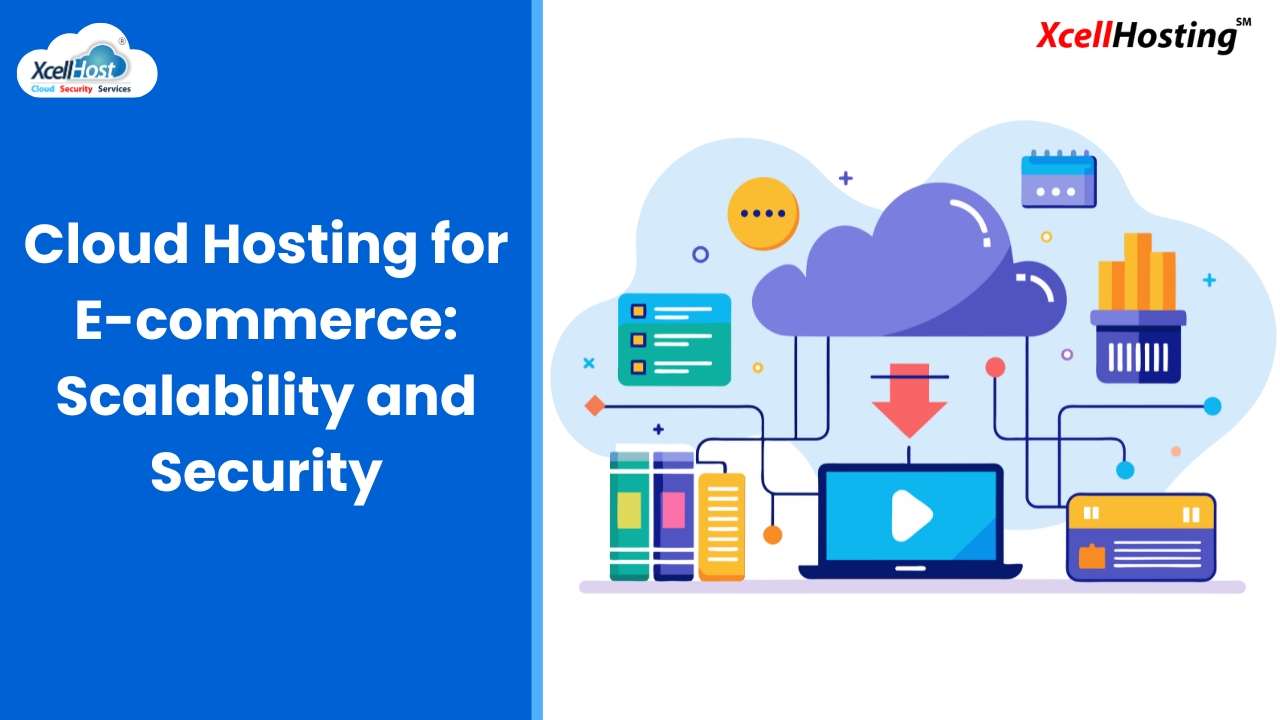
Cloud Hosting for E-commerce: Scalability and Security 🛒☁️ As e-commerce continues to grow, businesses need robust, scalable, and secure hosting solutions to support their online stores. Cloud hosting has emerged as a popular choice for e-commerce websites due to its flexibility, reliability, and enhanced security features. This blog post will explore the benefits of cloud hosting for e-commerce, focusing on scalability and security, and provide insights into how it can transform your online business. Why Cloud Hosting for E-commerce? Cloud hosting offers several advantages for e-commerce websites, making it an ideal solution for businesses looking to enhance their online presence. Here are some key reasons why cloud hosting is beneficial for e-commerce: 1. Scalability 📈 Benefit: Cloud hosting provides unmatched scalability, allowing e-commerce businesses to easily adjust their resources based on demand. Description: E-commerce websites often experience fluctuating traffic, especially during sales events and holidays. Cloud hosting enables businesses to scale their resources up or down as needed, ensuring that their website can handle increased traffic without performance issues. 2. Enhanced Security 🔒 Benefit: Cloud hosting providers offer advanced security features to protect e-commerce websites from cyber threats. Description: Security is a top priority for e-commerce businesses, as they handle sensitive customer data and financial transactions. Cloud hosting providers implement robust security measures such as encryption, firewalls, and regular security updates to safeguard data and ensure compliance with industry standards. 3. Reliability and Uptime ⏱️ Benefit: Cloud hosting ensures high reliability and uptime, minimizing downtime and ensuring continuous availability. Description: Downtime can be detrimental to e-commerce businesses, leading to lost sales and a damaged reputation. Cloud hosting leverages multiple servers in different locations, ensuring that your website remains accessible even if one server fails. 4. Performance and Speed 🚀 Benefit: Cloud hosting enhances website performance and speed, leading to a better user experience. Description: Slow loading times can result in high bounce rates and lost sales. Cloud hosting distributes resources across multiple servers, ensuring fast load times and optimal performance, even during peak traffic periods. 5. Cost Efficiency 💸 Benefit: Cloud hosting offers a cost-effective solution with a pay-as-you-go pricing model. Description: E-commerce businesses can avoid significant upfront costs associated with traditional hosting solutions. With cloud hosting, you pay only for the resources you use, making it a budget-friendly option for businesses of all sizes. 6. Global Reach 🌍 Benefit: Cloud hosting enables e-commerce businesses to reach a global audience with ease. Description: Cloud hosting providers have data centers in multiple locations worldwide, allowing businesses to serve customers from different regions with low latency and high performance. Key Features of Cloud Hosting for E-commerce 1. Auto-Scaling 📈 Feature: Automatically adjust resources based on traffic demand. Benefit: Ensures that your website can handle traffic spikes without performance issues, providing a seamless shopping experience for customers. 2. Load Balancing ⚖️ Feature: Distribute traffic across multiple servers. Benefit: Improves website performance and reliability by preventing any single server from becoming overwhelmed with traffic. 3. SSL Certificates 🔒 Feature: Secure Sockets Layer (SSL) certificates for data encryption. Benefit: Protects customer data during transactions and boosts customer trust by ensuring secure connections. 4. DDoS Protection 🛡️ Feature: Distributed Denial of Service (DDoS) protection to mitigate attacks. Benefit: Protects your website from DDoS attacks that can disrupt service and cause downtime. 5. Content Delivery Network (CDN) 🌐 Feature: Distribute content across a network of servers globally. Benefit: Reduces latency and ensures fast load times for customers, regardless of their location. 6. Regular Backups 💾 Feature: Automated backups of your website data. Benefit: Ensures that your data can be quickly restored in case of a failure or cyberattack, minimizing downtime and data loss. Implementing Cloud Hosting for Your E-commerce Business Step 1: Assess Your Needs 📝 Action: Evaluate your current and future hosting requirements. Benefit: Helps you choose a cloud hosting plan that aligns with your business needs and growth plans. Step 2: Choose a Reliable Cloud Hosting Provider 🔍 Action: Research and compare cloud hosting providers based on performance, security, scalability, and support. Benefit: Ensures you select a provider that can meet your specific requirements and provide a reliable hosting environment. Step 3: Migrate Your Website 📦 Action: Plan and execute the migration of your website to the cloud hosting platform. Benefit: Ensures a smooth transition with minimal downtime and disruption to your business. Step 4: Optimize for Performance 🚀 Action: Implement performance optimization techniques such as caching, image optimization, and code minification. Benefit: Enhances website speed and user experience, leading to higher conversion rates and customer satisfaction. Step 5: Implement Security Measures 🔒 Action: Configure security settings, install SSL certificates, and enable DDoS protection. Benefit: Protects your website from cyber threats and ensures the security of customer data. Step 6: Monitor and Maintain 📊 Action: Continuously monitor your website’s performance, security, and resource usage. Benefit: Helps identify and resolve issues quickly, ensuring optimal performance and reliability. FAQs 1. What is cloud hosting for e-commerce? 🛒☁️ Cloud hosting for e-commerce involves using cloud-based servers to host online stores, providing scalability, security, and reliability to support business operations. 2. How does cloud hosting improve scalability for e-commerce websites? 📈 Cloud hosting allows e-commerce businesses to easily scale resources up or down based on demand, ensuring that the website can handle varying levels of traffic without performance issues. 3. What security features are offered by cloud hosting providers? 🔒 Cloud hosting providers offer advanced security features such as encryption, firewalls, SSL certificates, DDoS protection, and regular security updates to protect e-commerce websites. 4. How does cloud hosting enhance website performance and speed? 🚀 Cloud hosting distributes resources across multiple servers, ensuring fast load times and optimal performance, even during peak traffic periods. 5. Is cloud hosting cost-effective for e-commerce businesses? 💸 Yes, cloud hosting operates on a pay-as-you-go model, allowing e-commerce businesses to pay only for the resources they use, reducing upfront costs and providing cost efficiency. 6. Can cloud hosting support a global e-commerce business? 🌍 Yes, cloud hosting providers have data centers in multiple locations

Cloud Hosting for E-commerce: Scalability and Security Read More »

Role of AI in Cybersecurity: Enhancing Threat Detection and Response

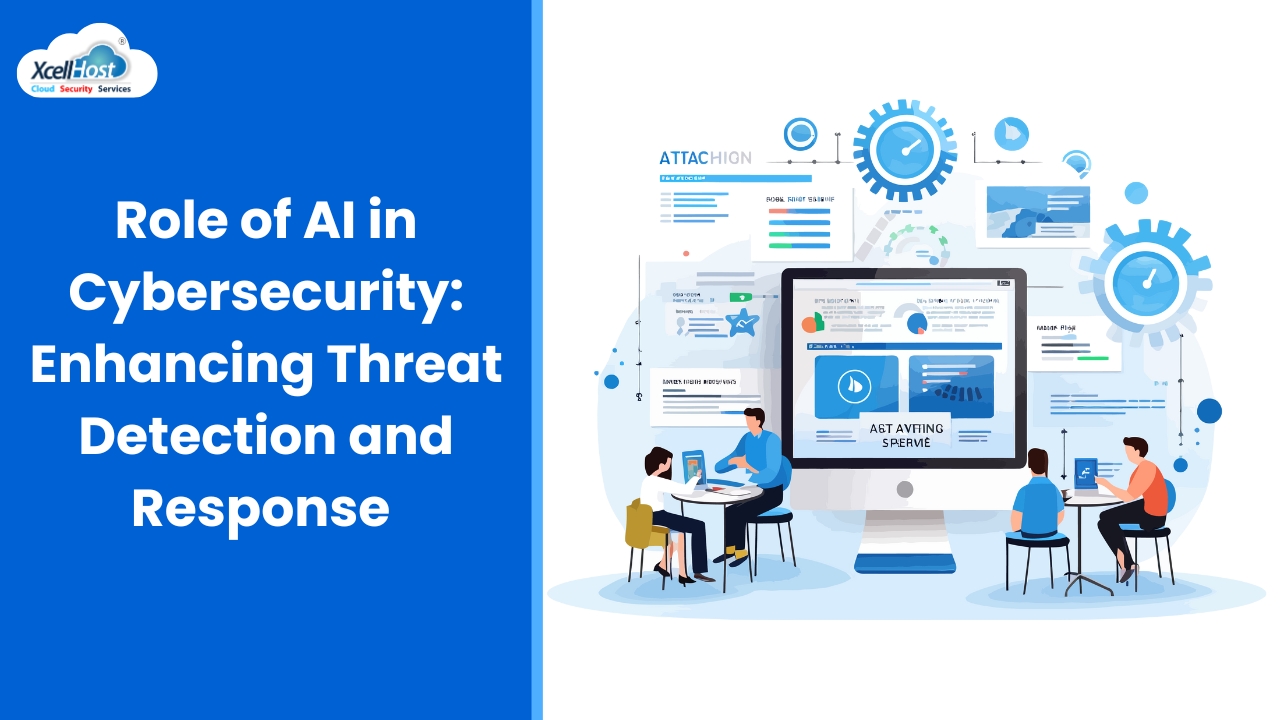
Role of AI in Cybersecurity: Enhancing Threat Detection and Response 🤖🔒 Artificial Intelligence (AI) is revolutionizing the field of cybersecurity by providing advanced tools and techniques to detect, prevent, and respond to cyber threats. As cyber attacks become more sophisticated, leveraging AI can significantly enhance the ability to safeguard sensitive information and maintain the integrity of digital systems. This blog post explores the role of AI in cybersecurity, its benefits, and how it is transforming the way organizations protect their digital assets. Understanding AI in Cybersecurity AI in cybersecurity involves the use of machine learning algorithms, data analytics, and automation to identify patterns, detect anomalies, and predict potential threats. AI systems can analyze vast amounts of data at high speed, enabling them to identify and respond to threats more effectively than traditional methods. Key Benefits of AI in Cybersecurity 1. Enhanced Threat Detection 🚨 Benefit: AI can detect threats faster and more accurately than traditional methods. Description: By analyzing patterns and behaviors across large datasets, AI can identify anomalies that may indicate a cyber attack. This allows for quicker identification of threats, reducing the time to respond and mitigate potential damage. 2. Improved Incident Response 🛠️ Benefit: AI automates incident response, allowing for faster and more efficient mitigation. Description: AI-powered systems can automatically respond to certain types of threats by isolating affected systems, blocking malicious traffic, and alerting security teams. This automation reduces response times and helps contain threats before they spread. 3. Predictive Analysis 🔮 Benefit: AI can predict future attacks by analyzing historical data and identifying trends. Description: Machine learning algorithms can analyze past cyber attacks to predict potential future threats. This proactive approach allows organizations to strengthen their defenses and prepare for emerging threats. 4. Real-Time Monitoring 👀 Benefit: AI provides continuous, real-time monitoring of networks and systems. Description: AI systems can monitor network traffic and user behavior 24/7, ensuring that any suspicious activity is detected and addressed immediately. This constant vigilance helps prevent breaches and minimizes the impact of attacks. 5. Reduced False Positives ❌ Benefit: AI reduces the number of false positives, allowing security teams to focus on genuine threats. Description: Traditional security systems often generate a high number of false positives, overwhelming security teams. AI can differentiate between normal and suspicious activity more accurately, reducing false alerts and enabling teams to focus on real threats. How AI is Transforming Cybersecurity 1. AI-Powered Security Tools 🛡️ Description: AI is integrated into various security tools, such as intrusion detection systems (IDS), endpoint protection platforms (EPP), and security information and event management (SIEM) systems. These tools use AI to enhance their capabilities and provide more effective protection. 2. Behavioral Analysis and Anomaly Detection 📊 Description: AI analyzes user behavior and network traffic to identify deviations from normal patterns. Anomalies may indicate potential threats, such as insider attacks or compromised accounts, enabling early detection and response. 3. Threat Intelligence and Hunting 🔍 Description: AI aggregates and analyzes threat intelligence from various sources, providing security teams with actionable insights. AI-powered threat hunting tools can proactively search for indicators of compromise (IoCs) within an organization’s environment. 4. Phishing Detection and Prevention 🐟 Description: AI systems can analyze email content and sender behavior to detect and block phishing attempts. Machine learning models are trained to recognize phishing emails based on patterns and characteristics, reducing the risk of successful attacks. 5. Automated Security Operations 🔧 Description: AI automates routine security tasks, such as vulnerability scanning, patch management, and compliance monitoring. This automation frees up security teams to focus on more complex and strategic activities. Implementing AI in Your Cybersecurity Strategy Step 1: Assess Your Needs 📝 Action: Evaluate your current cybersecurity posture and identify areas where AI can add value. Benefit: Understanding your specific needs helps you choose the right AI solutions to enhance your security measures. Step 2: Choose the Right AI Tools 🛠️ Action: Research and select AI-powered security tools that align with your organization’s requirements. Benefit: Selecting the appropriate tools ensures that you maximize the benefits of AI in your cybersecurity strategy. Step 3: Integrate AI with Existing Systems 🔗 Action: Ensure seamless integration of AI tools with your existing security infrastructure. Benefit: Integration enhances the overall effectiveness of your security measures and ensures a cohesive defense strategy. Step 4: Train Your Security Team 📚 Action: Provide training for your security team on how to use AI tools and interpret AI-generated insights. Benefit: Training ensures that your team can effectively leverage AI to enhance your cybersecurity posture. Step 5: Monitor and Evaluate Performance 📊 Action: Continuously monitor the performance of AI tools and evaluate their impact on your security measures. Benefit: Regular evaluation helps identify areas for improvement and ensures that AI tools are delivering the expected benefits. FAQs 1. What is the role of AI in cybersecurity? 🤖🔒 AI enhances cybersecurity by providing advanced tools and techniques for threat detection, incident response, predictive analysis, and real-time monitoring. 2. How does AI improve threat detection? 🚨 AI analyzes patterns and behaviors across large datasets to identify anomalies that may indicate a cyber attack, enabling quicker identification and response. 3. What are the benefits of using AI for incident response? 🛠️ AI automates incident response, allowing for faster and more efficient mitigation by isolating affected systems, blocking malicious traffic, and alerting security teams. 4. How can AI predict future cyber attacks? 🔮 AI uses machine learning algorithms to analyze historical data and identify trends, enabling it to predict potential future threats and allowing organizations to prepare accordingly. 5. What is real-time monitoring in AI-powered cybersecurity? 👀 AI provides continuous, real-time monitoring of networks and systems, detecting and addressing suspicious activity immediately to prevent breaches and minimize impact. 6. How does AI reduce false positives in cybersecurity? ❌ AI accurately differentiates between normal and suspicious activity, reducing the number of false alerts and allowing security teams to focus on genuine threats. 7. What are AI-powered security tools? 🛡️ AI-powered security tools include intrusion detection systems (IDS), endpoint protection platforms (EPP),

Role of AI in Cybersecurity: Enhancing Threat Detection and Response Read More »

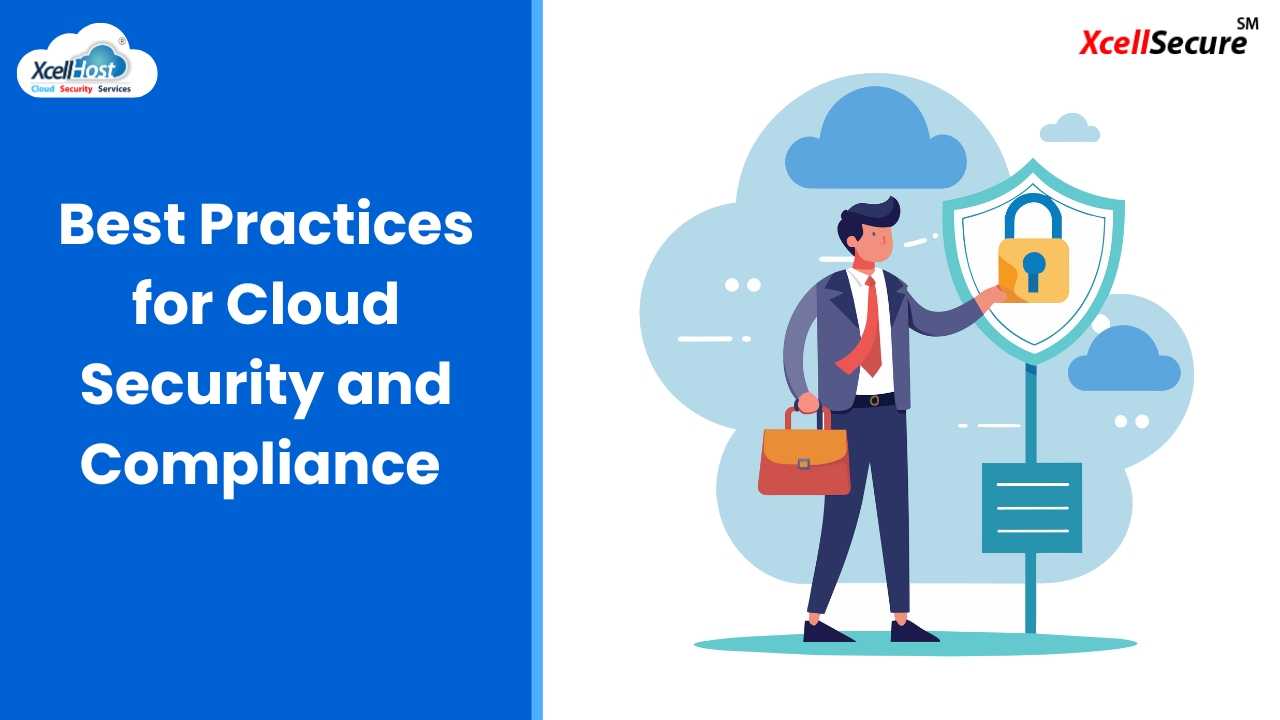
Best Practices for Cloud Security and Compliance

Best Practices for Cloud Security and Compliance 🔒☁️ In an era where cloud computing is integral to business operations, ensuring robust cloud security and compliance is critical. Adopting best practices for cloud security helps protect sensitive data, maintain regulatory compliance, and safeguard against cyber threats. This blog post explores the top best practices for cloud security and compliance to help your organization leverage the benefits of cloud computing while minimizing risks. Understanding Cloud Security and Compliance Cloud Security involves protecting cloud-based systems, data, and infrastructure from cyber threats. It includes measures such as data encryption, access controls, and threat detection to ensure the confidentiality, integrity, and availability of cloud resources. Cloud Compliance refers to adhering to regulatory standards and legal requirements for data protection, privacy, and security in the cloud. Compliance ensures that organizations meet the necessary legal and industry-specific obligations. Best Practices for Cloud Security and Compliance 1. Implement Strong Access Controls 🔐 Action: Use role-based access controls (RBAC) to restrict access to sensitive data and resources based on user roles and responsibilities. Benefit: Minimizes the risk of unauthorized access and potential data breaches by ensuring that users only have access to the resources they need. 2. Encrypt Data at Rest and in Transit 🔒 Action: Implement encryption for data stored in the cloud (at rest) and data being transmitted (in transit). Benefit: Protects sensitive data from unauthorized access and interception, ensuring data privacy and security. 3. Regularly Update and Patch Systems 🔄 Action: Ensure that all cloud-based systems, applications, and software are regularly updated and patched to fix vulnerabilities. Benefit: Reduces the risk of exploitation by cybercriminals through known vulnerabilities, enhancing overall security. 4. Conduct Regular Security Audits and Assessments 📋 Action: Perform regular security audits and risk assessments to identify potential vulnerabilities and weaknesses in your cloud environment. Benefit: Helps detect and address security gaps, ensuring a robust and secure cloud infrastructure. 5. Implement Multi-Factor Authentication (MFA) 🔑 Action: Require multi-factor authentication for accessing cloud resources and sensitive data. Benefit: Adds an extra layer of security by requiring multiple forms of verification, reducing the risk of unauthorized access. 6. Use Security Information and Event Management (SIEM) 🛡️ Action: Deploy SIEM solutions to monitor and analyze security events and activities in real-time. Benefit: Enables proactive threat detection and response, helping to identify and mitigate security incidents quickly. 7. Ensure Compliance with Regulatory Standards 📜 Action: Adhere to industry-specific regulatory standards such as GDPR, HIPAA, and ISO 27001. Benefit: Ensures that your organization meets legal and regulatory requirements, avoiding potential fines and penalties. 8. Implement Data Loss Prevention (DLP) Solutions 🚫 Action: Use DLP tools to monitor, detect, and prevent unauthorized data transfers and leaks. Benefit: Protects sensitive data from being exfiltrated or accessed by unauthorized users, enhancing data security. 9. Conduct Employee Security Training 📚 Action: Provide regular security awareness training to employees on best practices, phishing prevention, and safe cloud usage. Benefit: Empowers employees to recognize and respond to security threats, reducing the risk of human error. 10. Regularly Backup Data 💾 Action: Implement automated, regular backups of cloud data to ensure it can be restored in case of loss or corruption. Benefit: Ensures business continuity and minimizes downtime by enabling quick data recovery. 11. Use Cloud-Native Security Tools 🛠️ Action: Leverage cloud-native security tools provided by your cloud service provider for monitoring and protecting your environment. Benefit: Ensures compatibility and effectiveness by using tools specifically designed for your cloud platform. 12. Monitor and Log Cloud Activities 📊 Action: Continuously monitor and log all cloud activities, including access and changes to data and configurations. Benefit: Provides visibility into cloud operations, helping to detect and investigate suspicious activities and ensure compliance. 13. Implement Network Security Measures 🌐 Action: Use firewalls, virtual private networks (VPNs), and intrusion detection systems (IDS) to secure cloud networks. Benefit: Protects against unauthorized access and cyber attacks, ensuring secure network communication. 14. Establish a Incident Response Plan 🛡️ Action: Develop and maintain a comprehensive incident response plan to address potential security breaches and incidents. Benefit: Ensures a structured and efficient response to security incidents, minimizing damage and recovery time. 15. Use Secure APIs for Integration 🔗 Action: Ensure that all APIs used for integrating cloud services are secure and regularly reviewed for vulnerabilities. Benefit: Prevents API-related security risks and protects data integrity during cloud service interactions. 16. Isolate Sensitive Workloads 🖥️ Action: Use virtual private clouds (VPCs) and network segmentation to isolate sensitive workloads from other cloud resources. Benefit: Enhances security by limiting the attack surface and preventing unauthorized access to critical data. 17. Review Third-Party Security Policies 📄 Action: Evaluate the security policies and practices of third-party vendors and partners who access your cloud environment. Benefit: Ensures that third-party interactions do not introduce security vulnerabilities, maintaining overall security posture. 18. Maintain Visibility and Control Over Data 👀 Action: Implement tools and practices that provide continuous visibility and control over data stored and processed in the cloud. Benefit: Enhances data governance and compliance, ensuring that sensitive data is protected and managed effectively. 19. Perform Penetration Testing 🕵️‍♂️ Action: Conduct regular penetration testing to identify and address security vulnerabilities in your cloud environment. Benefit: Helps proactively identify and mitigate potential security risks, strengthening your overall security posture. 20. Develop a Cloud Security Policy 📘 Action: Create and enforce a comprehensive cloud security policy that outlines security practices, roles, and responsibilities. Benefit: Establishes clear guidelines for cloud security, ensuring that all stakeholders understand and adhere to best practices. FAQs 1. What is cloud security? 🔒 Cloud security involves protecting cloud-based systems, data, and infrastructure from cyber threats through measures such as encryption, access controls, and threat detection. 2. Why is compliance important in the cloud? 📜 Compliance ensures that organizations meet legal and regulatory requirements for data protection, privacy, and security, avoiding fines and penalties. 3. How can multi-factor authentication (MFA) enhance cloud security? 🔑 MFA adds an extra layer of security by requiring multiple forms of verification, reducing the risk of unauthorized access to

Best Practices for Cloud Security and Compliance Read More »