Billing PortalSupport Portal
XcellHost Cloud & Security — free consultation + tailored solution reviewFREE CONSULTClaim offer →
XcellHost — Global Reach · Personal Touch

XcellHost|TSplus

The affordable Citrix & RDS alternative — publish Windows apps and desktops to any browser, securely.

XcellHost licenses, installs and supports the TSplus suite for Indian businesses — Remote Access, Remote Support, Advanced Security and Server Monitoring — billed in rupees with a GST invoice and backed by our 24×7 Mumbai NOC.

Run Tally & ERP from any browser

  • ✓Web portal — apps in any browser, no client
  • ✓Perpetual or subscription licences*
  • ✓Attended & unattended remote support
  • ✓Server protection & 2FA
  • ✓Real-time server monitoring
  • ✓INR billing, setup & 24×7 support
Powered byTSplusRemote Access SolutionsAuthorised partner · Licensed & supported by XcellHost
Perpetual or subscriptionINR quote · GST invoice · excl. GST
XcellHost · TSplus ConsoleLIVE · SAMPLE
01 · Remote Access · web portal
https://apps.yourcompany.example
Tally Prime
ERP
Excel · Office
Desktop
CRM app
Payroll
ACTIVE SESSIONSpriya · Punerahul · Delhianita · Mumbaivikram · Suratneha · Indorearjun · Nashik
TECHNICIAN · MUMBAI NOC
USER · PUNE BRANCH

Session encrypted · consent given

✓

Windows server · geo-filter · 2FA

TS-SRV-01 · MUMBAI · LAST 60 MIN (SAMPLE)All healthyalerts by email
42users online
6apps published
HTML5no client needed
▣
Tally Prime · openedPune branch · browser
♢
Gateway · load-balanced2 app servers
⌁
Session · printedvirtual printer · PDF
LIVE TSPLUS ACTIVITY SAMPLE
  • Loginpriya@pune · web portal
  • OpenTally Prime · session 18
  • Printinvoice.pdf · virtual printer
500,000+ companies use TSplus*Microsoft Gold PartnerISO 27001 & 20000-1Since 1999 · Mumbai24×7 NOC + SOCINR GST invoice

TSplus product portfolio

Four products. One complete remote-work stack.

Start with one capability or combine all four for secure application delivery, user assistance and infrastructure visibility.
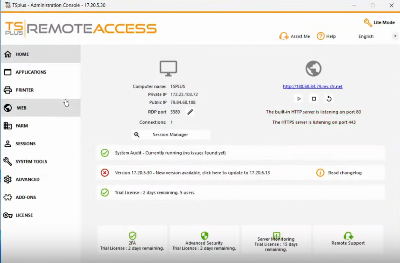
TSplus Remote Access console
TSplusRemote Access
FREE TRIAL

Secure Application Delivery

Secure remote access and web application delivery.

Explore
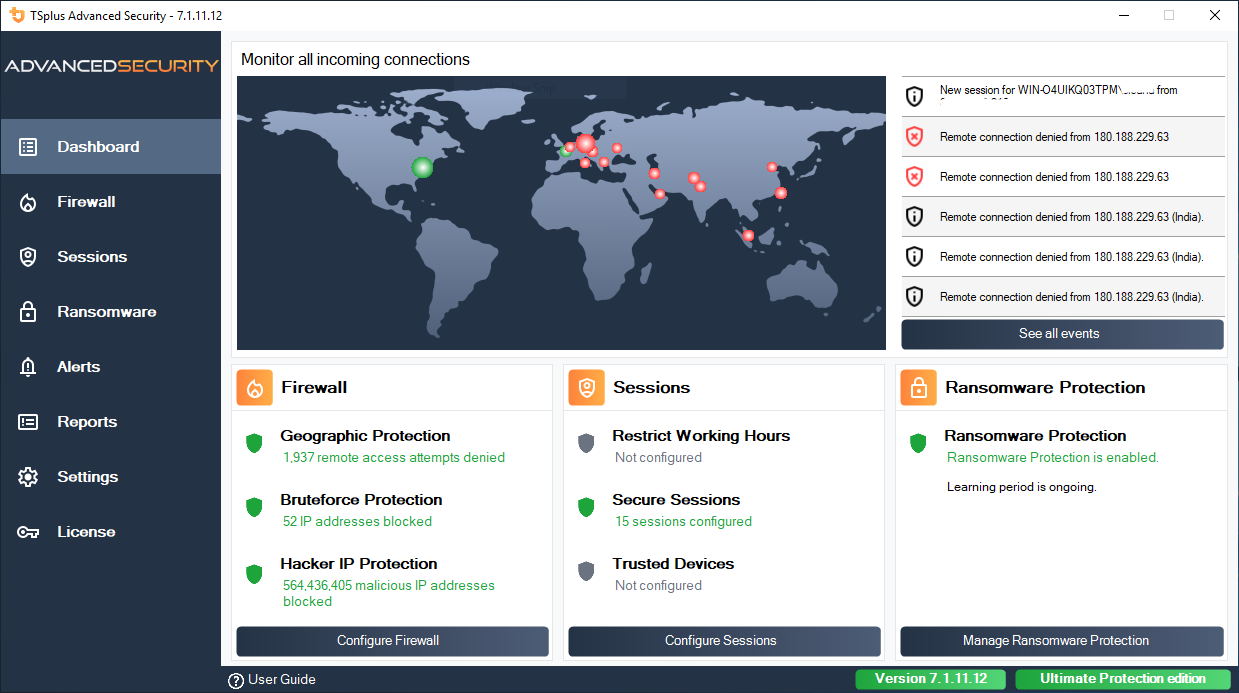
TSplus Advanced Security dashboard
TSplusAdvanced Security

Complete RDP Protection

Protect remote servers against attacks and misuse.

Explore
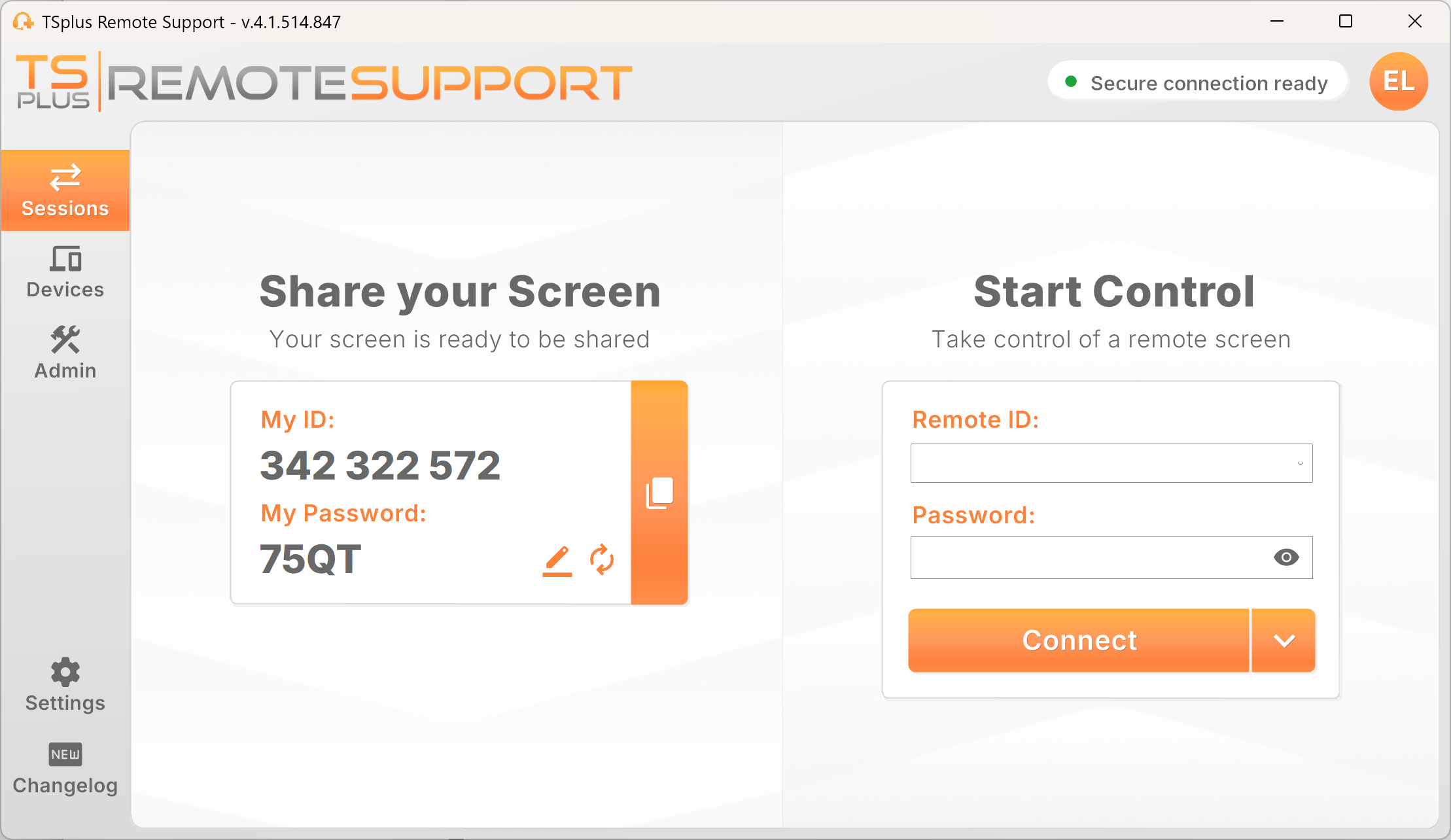
TSplus Remote Support interface
TSplusRemote Support

Fast Remote Assistance

Secure attended and unattended remote assistance.

Explore
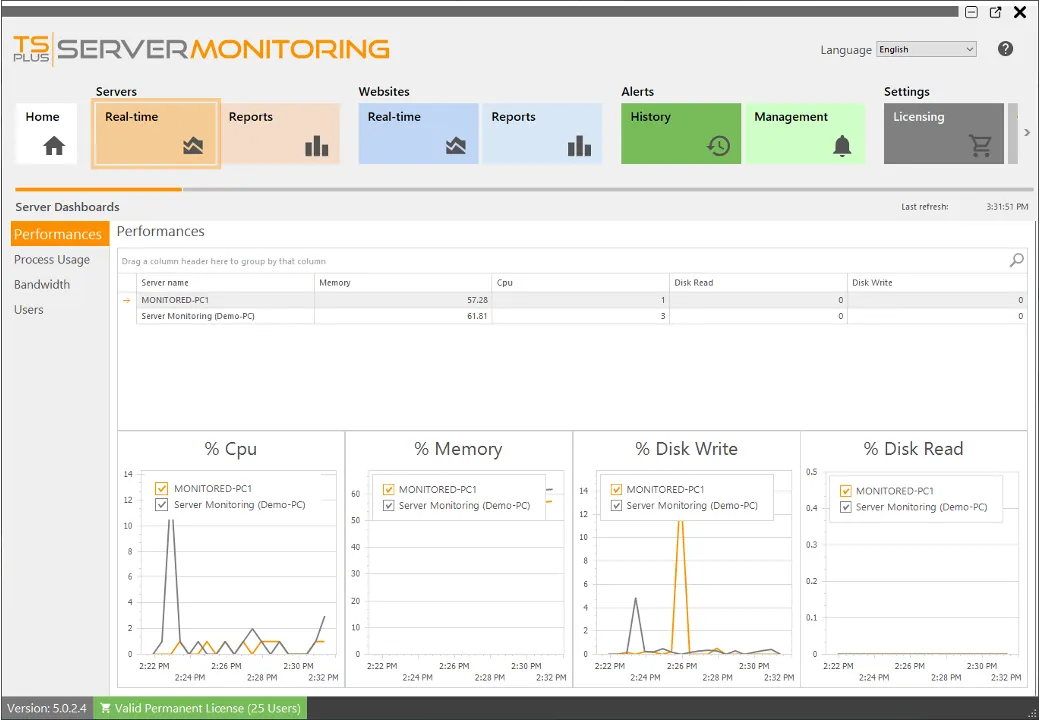
TSplus Server Monitoring dashboard
TSplusServer Monitoring

Real-Time Server Insights

Monitor server health, availability and performance.

Explore

Make IT simple

Everything your remote workplace needs.

Give teams secure access to business applications, help users from anywhere, protect Windows servers and keep every service visible from one practical software suite.
01 / REMOTE ACCESS

Give people access to Windows apps and desktops.

Publish the applications your teams already use and make them available through a secure web portal on desktop, tablet or mobile.

  • Application and full-desktop publishing
  • HTML5 access from a modern browser
  • Remote printing and clipboard support
  • Perpetual or subscription licensing options
Explore Remote Access
APPLICATION DELIVERYTSplus web application portal
02 / REMOTE SUPPORT

Take control of a screen remotely.

Help employees and customers with fast, encrypted screen sharing for both attended support and unattended maintenance.

  • Attended and unattended remote sessions
  • Multi-monitor and cross-platform support
  • Session recording and secure file transfer
  • Simple connection for technicians and users
Explore Remote Support
REMOTE ASSISTANCETSplus Remote Support session on Windows
03 / ADVANCED SECURITY

Protect your Windows servers from attack.

Add focused protection around remote access infrastructure with tools designed to detect suspicious activity and control who can connect.

  • Brute-force and ransomware protection
  • Geographic and working-hours restrictions
  • Endpoint and IP access controls
  • Security events in one clear dashboard
Explore Advanced Security
RDP PROTECTIONTSplus Advanced Security protection dashboard
04 / SERVER MONITORING

See performance issues before users feel them.

Track servers and websites in real time, receive meaningful alerts and turn operational data into reports your team can act on.

  • Live server and website availability
  • CPU, memory, disk and user-session insights
  • Custom alerts and scheduled reports
  • One view across multiple servers
Explore Server Monitoring
INFRASTRUCTURE VISIBILITYTSplus Server Monitoring performance dashboard

Better together

A connected journey from login to support.

TSplus products cover the full operational path: employees connect, security policies protect every session, support teams assist users, and monitoring keeps the underlying servers healthy.

Watch the TSplus demo library →
  1. 01
    Connect

    Remote Access publishes the apps and desktops users need.

  2. 02
    Protect

    Advanced Security blocks attacks and enforces access policies.

  3. 03
    Assist

    Remote Support gives technicians a fast path to every user.

  4. 04
    Observe

    Server Monitoring tracks health, usage and availability.

Less infrastructure. More progress.

Remote access made straightforward.

TSplus focuses on the everyday jobs IT teams need to complete. XcellHost adds planning, deployment and local support so you can move from evaluation to production with fewer hand-offs.

Everyday IT taskWith TSplus + XcellHost
Publish a Windows application→ Configure and deliver it through a secure portal
Add a branch or remote user→ Apply the right access policy and onboard quickly
Support an employee→ Start an attended or unattended support session
Respond to a server issue→ Use live metrics, alerts and reports to troubleshoot

Built for real work

One platform, many ways to work.

Shape the TSplus stack around your applications, users and operating model.
ERP

Tally and ERP access

Give finance and operations teams browser-based access to central Windows applications across offices.

HYBRID

Remote and hybrid teams

Deliver familiar desktops and line-of-business apps without moving sensitive workloads onto user devices.

MSP

Managed service providers

Support customer endpoints, monitor infrastructure and standardise secure remote operations.

ISV

Software publishers

Web-enable Windows applications and offer customers a simpler path to access hosted software.

BRANCH

Multi-location businesses

Connect branches to centrally managed applications while keeping access rules consistent.

IT

Internal help desks

Resolve user issues quickly with secure support sessions and a clear operational workflow.

A practical path forward

Move at your pace, with your team in control.

Whether you are replacing a legacy remote-access platform or starting fresh, XcellHost helps you validate the design before wider rollout.

  1. 1
    Discover

    Review users, apps, servers, locations and security requirements.

  2. 2
    Pilot

    Install alongside the current environment and test priority workflows.

  3. 3
    Roll out

    Publish applications and move users in manageable groups.

  4. 4
    Optimise

    Monitor adoption, tune policies and support day-to-day operations.

Why XcellHost

TSplus expertise beyond the licence.

01

Architecture and sizing

We map users, applications, locations and availability needs before choosing the right TSplus design.

02

Managed deployment

Installation, publishing, certificates, firewall rules and access policies are configured for you.

03

Migration assistance

Move from legacy RDS, remote-control tools or fragmented monitoring with a practical rollout plan.

04

24×7 local support

Get help by phone, WhatsApp or ticket from engineers familiar with your environment.

READY TO SIMPLIFY REMOTE WORK?

Build your TSplus solution with XcellHost.

Tell us how many users and servers you support. We’ll recommend the right products, deployment model and licensing.
View product demos

Frequently asked questions

TSplus with XcellHost

Which TSplus products does XcellHost provide?

Remote Access, Advanced Security, Remote Support and Server Monitoring, including licensing, deployment and ongoing support.

Can the four products be used separately?

Yes. Each product works independently, or they can be combined into a complete remote-work and server-operations stack.

Can XcellHost migrate an existing RDS environment?

Yes. We assess the current servers, applications, users, certificates and access policies, then plan a phased TSplus rollout.

Is a trial available?

Trial options are available for suitable deployments. Talk to our TSplus team to plan a proof of concept around your environment.

Insights

Fresh Perspectives For Smarter IT Decisions

Explore practical guides and expert insights on cloud, cybersecurity and Indian compliance to help your business move forward.

New insights are on the way. Explore all insights for more guides and articles.